
















Creating Content with AI: An Efficient Workflow from Draft to Publication
A working routine that connects text, image and audio tools and cuts content production time in half.
Table of contents
Content production has three stages: idea, production and publication. AI speeds up the first two stages in particular, but the final check still belongs to a human. With a well-built workflow, a blog post, a cover image and a social media video can be ready the same afternoon. Here is how it's done.
The idea and draft stage
A good content flow starts with an idea. Tell the AI assistant your topic, your target audience and your tone; ask it for five headline suggestions and an outline. Then edit the draft in your own words. A writing tool that knows your brand voice produces a first draft close to your style and cuts editing time in half. Always keep your own signature in the headline and the intro; readers remember those parts. Once you approve the outline, write a one-sentence goal for each section. The assistant follows these goals to produce a more consistent draft and reduces the fixes you have to make afterward.
Do your keyword research at the outline stage, too. Tools that give an SEO score organize headlines and subheadings around target searches. Remember: AI can make mistakes with facts. Verify every sentence containing a number, a date or a proper name yourself. This check at the draft stage prevents reputation damage after publication and increases the credibility of your content. Pay special attention to the parts that cite sources. If you quote a study or data, open the link and check it; credibility is the most important factor in the long-term value of content.
AI writes the draft; the brand has the final word.
Sophie Laurent
Creating visuals and audio
Once the text is ready, it's time for the cover image and a short video. When you describe the scene to a tool like Midjourney, it produces several alternatives that match your brand palette. Pick the best image, clean up the background and adapt it to different sizes. Instead of having the same image redrawn separately for the blog cover, the social media post and the email header, derive them from a single master image; this gives you consistency. If you use text in images, add the text yourself after generation. Spelling errors are common in AI images; adding the text in a design tool gives a clean and brand-consistent result.
For audio and video, the best method is to split the script into short scenes. A video tool like CapCut assembles the text into scenes, adds automatic captions and converts it to a vertical format. For the voiceover, choose the tone and adjust the pauses with an audio tool. Gather everything in the same folder on the same day; that way every file you look for is at hand during the final check. Organizing all files in folders by project name and giving them version numbers prevents chaos during revisions. A small naming rule saves hours in large content archives.
Editing, checking and publishing
The final stage is the human eye. Read the text aloud, verify the numbers, check the details in the images and fix typos in the captions. However good the AI output is, brand voice and accuracy are your responsibility. Use a short checklist before publishing: headline, image, links, captions and tags. Prepare a short approval list for the last check before publication and apply the same list to every piece of content. A routine check is the cheapest insurance against the reputation damage that a single moment of carelessness can cause.
| Topic | AI Guides |
|---|---|
| Highlights | content creation, artificial intelligence, productivity |
| Reading time | 8 minutes |
| Written by | Sophie Laurent |
Key takeaways
- Let AI write the draft; you do the checking.
- Derive many sizes from a single master image.
- Measure, and feed the results into the next draft.
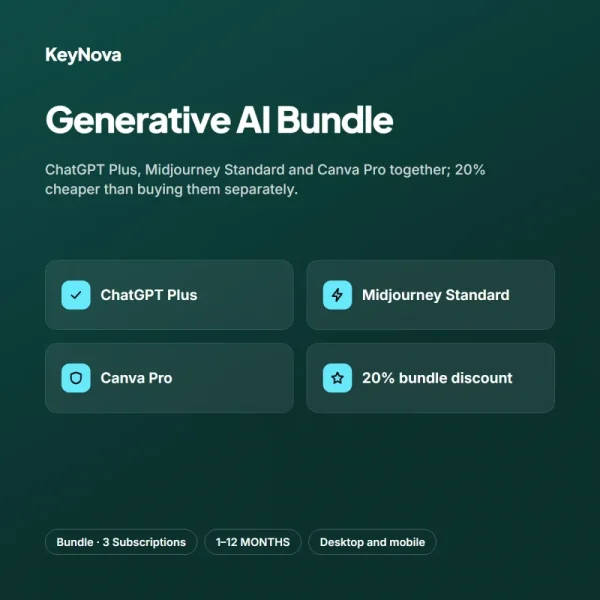
Measure the results after publication. Record which headline got more clicks and which video was watched to the end, and feed that information back to the assistant in your next draft. Over time the tools learn your preferences and produce work with fewer corrections. Buying the three tools as a bundle makes this flow easier to manage and cheaper; the Generative AI Bundle includes exactly this trio and is twenty percent cheaper than buying separately. You don't need complicated dashboards for measurement; even setting aside half an hour a week to write down your three best pieces of content and why they worked will keep improving your workflow and give the team a shared view.
What do you think about this post?

2 Comments
Really useful piece, thank you for putting it together.
I had never thought about this side of it. Looking forward to a follow-up.