
























































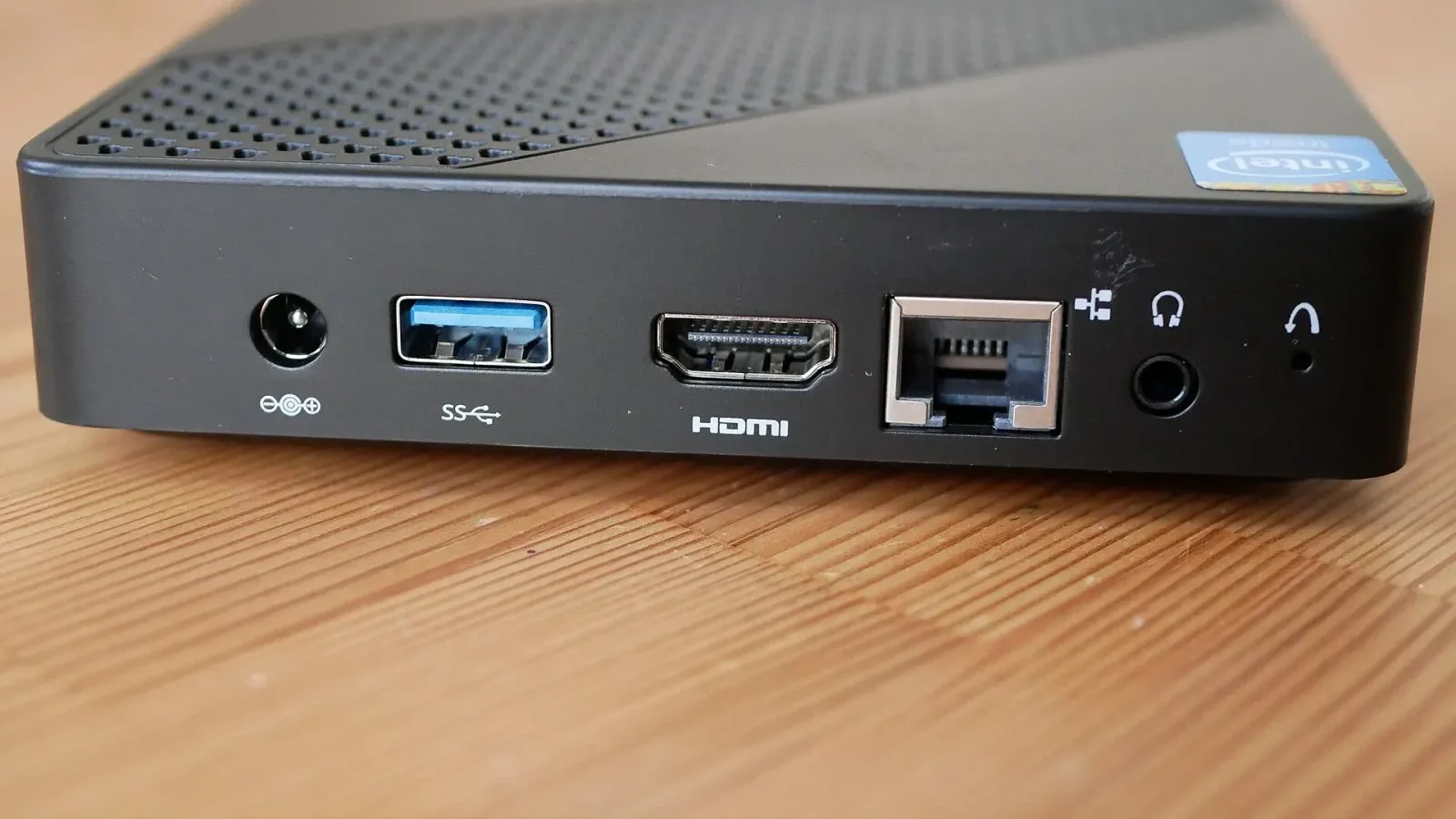
The latest efficient processors have made palm-sized computers surprisingly powerful. The mini PC we used as our main computer for a month never let us down in office apps, photo editing or even light gaming. It takes up almost no desk space and can be mounted on the back of a monitor, a big plus for anyone who wants a tidy workspace. We should note, however, that fan noise becomes noticeable under heavy load and upgrade options are limited. If you don't do heavy work that needs a dedicated graphics card, mini PCs are a serious alternative to traditional towers.
Small case, big performance
The mini PC that served as our main computer for a month is small enough to fit in the palm of your hand, yet it handled all of our daily work without a hitch. The system stayed smooth while running a browser with eighteen tabs, a spreadsheet, a video meeting and photo editing at the same time. For office users, that performance is more than enough. We should also point out that we experienced no lag or freezes in daily tasks.
The size advantage is huge. Once the case is screwed onto the mounting point on the back of the monitor, almost nothing is left on the desk. Cable clutter shrank, the desktop got tidier and moving the computer to another room became a one-minute job. In light games we got smooth frame rates at medium settings, while demanding games struggled, as expected.
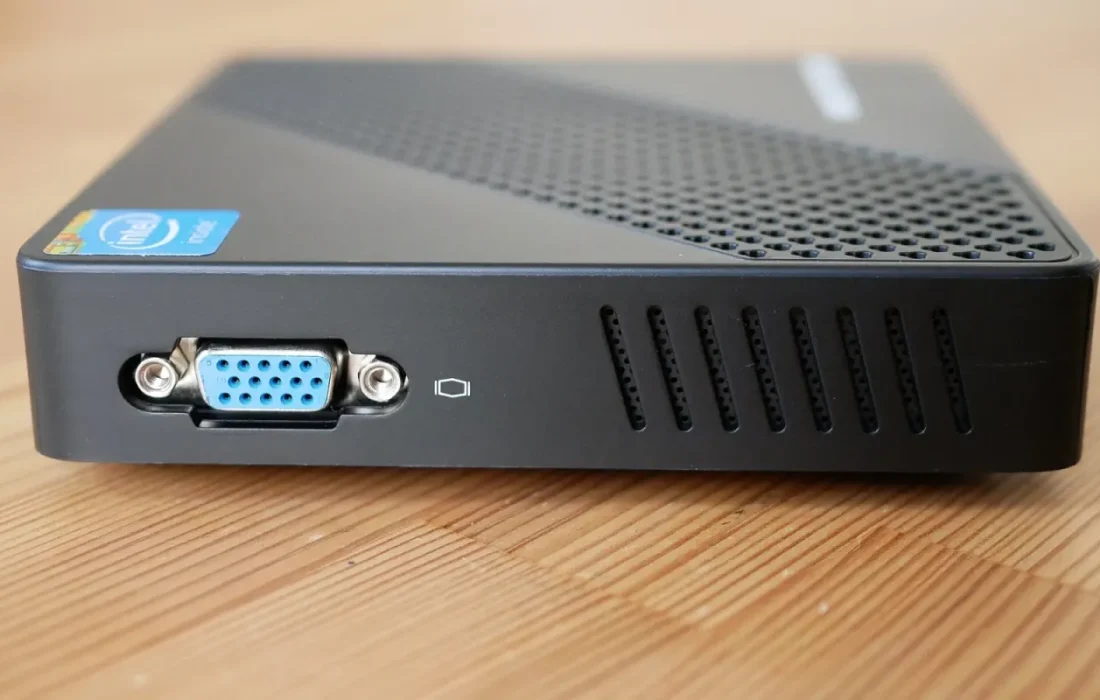
The smallest device on my desk turned out to be the hardest-working one.
Emily Carter
Cooling and fan noise
The cooling system is cleverly designed despite the small body. Under light workloads the device stayed almost silent; we didn't notice the fan running. Under heavy loads such as video exports or long gaming sessions, however, the fan speed rises noticeably and creates an annoying hum in the room. In our measurements, it reached up to 42 decibels.
The picture is more positive when it comes to heat: the processor stayed below its limit temperature even under load, and we saw no performance throttling. Because the case is aluminum, it can shed heat to the outside; the top surface feels warm to the touch but not uncomfortable. We recommend blowing it out with air once a month to prevent dust buildup. Make sure the vents aren't blocked.
Who is it right for?
Who is a mini PC right for? It's close to ideal for remote workers, small offices, students and anyone looking for a media center. It connects to a monitor with a single cable, supports multiple displays and has a very small impact on your electricity bill. For a computer left on all day, the annual energy cost is roughly a third of a traditional desktop's.
| Topic | Computers |
|---|---|
| Highlights | review, processor, value for money |
| Reading time | 7 minutes |
| Written by | Emily Carter |
Key takeaways
- Offers enough performance for office work, photo editing and light gaming.
- Fan noise becomes noticeable under heavy load; it's silent for light tasks.
- A serious alternative to a traditional desktop if you don't do heavy graphics work.
It's also clear who should steer clear: anyone who plays demanding games that need a dedicated graphics card, does 3D modeling or edits high-resolution video. Upgrade options are limited too; memory and storage can usually be replaced, but the processor and graphics are fixed. We recommend choosing the amount of memory with your future needs in mind, because the next upgrade often means replacing the whole device.
What do you think about this post?
Leave a comment