
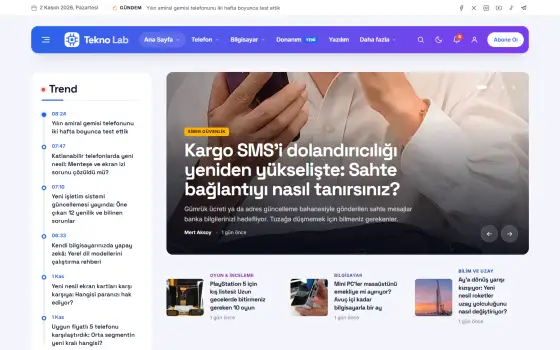
















Delivery text scams are on the rise again: How to spot a fake link
Fake messages sent under the pretext of customs fees or address updates are after your bank details. Here is what you need to know to avoid the trap.
Table of contents
During busy shopping seasons, there is a sharp rise in fake text messages sent in the name of delivery companies. They usually claim your package could not be delivered and that you need to pay a small fee, then point you to a link. These links open fake payment pages that look almost identical to the real thing, and any card details you enter end up in the hands of scammers. Cybersecurity expert Michael Kaplan reminds readers that government agencies and delivery companies do not request payments by text message. In our guide, we round up tips for spotting fake messages and the steps to take if you fall victim to a scam.
What does a fake message look like?
Fake delivery messages usually follow the same pattern. They claim your package couldn't be delivered because of an incomplete address, that you need to pay a small customs or holding fee, and that it will be returned if you don't act soon. At the end of the message is a shortened link, or one with odd characters. Scammers usually pick busy shopping days so the message lines up with a real order.
A few clues give these messages away. Be careful if the sender shows a random number instead of a company name, if the link doesn't use an official domain or if there are grammar mistakes. When real companies ask for payment, they direct you to the order page in their app; they don't push you to enter card details on an unfamiliar page. Any wording that rushes you is a warning sign of its own.

Any message that rushes you could be a trap.
Ethan Brooks
What to do if you clicked the link
If you clicked the link, don't panic, but act fast. If the page opened, close it without entering any information. If you typed in your card number or a verification code, call your bank immediately, have the card temporarily blocked and check your transactions for any charges you don't recognize. The card-freeze feature in your bank's mobile app also works within minutes.
The next step is your passwords. If you've used the same password elsewhere, change those too. If an unknown app was installed on your phone, remove it and scan the device with security software. Reporting the incident through the relevant agency's official complaint channel helps protect other users as well. Keeping a screenshot of the message makes the process easier when you file a report. That way, others can be kept from falling into the same trap, your records stay complete and no one else becomes a victim.
Settings you should turn on on your phone
A few settings on your phone block most of these attacks from the start. Turn on the filter that sends messages from unknown senders to a separate folder; on most phones, you'll find it in the messaging app's settings. Keep the option that allows installing apps from unknown sources turned off, and only use the official app store. On most phones this takes less than two minutes and can always be undone later.
| Topic | Cybersecurity |
|---|---|
| Highlights | cybersecurity, smartphone, how-to |
| Reading time | 6 minutes |
| Written by | Ethan Brooks |
Key takeaways
- Fake messages rush you, ask for payment and contain suspicious links.
- If you entered any details, call your bank right away and have the card blocked.
- Settings such as message filters and spending limits reduce the risk.
In your banking app, turn on transaction alerts and spending limits; a low limit caps any potential loss from the start. Setting up your cards to require additional verification for online purchases is also effective. Don't forget to talk to older members of your family about these issues, as scammers often target them. Deleting a suspicious message and not sharing it with anyone is the simplest protection of all.
What do you think about this post?
Leave a comment