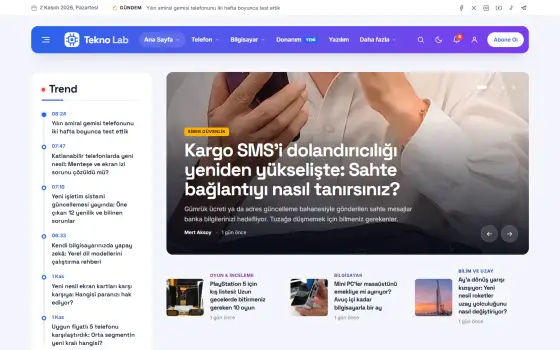











A new wave of scams arrives with fake delivery texts
Fake delivery notifications sent to users aim to steal card details. Experts warn never to click the links in these messages.
Table of contents
In recent days, many users have received texts saying their package couldn't be delivered and a small fee must be paid. The links in these messages, which mimic the logos of real courier companies, send users to fake pages asking for their card details. Cybersecurity experts note that such waves peak during sale seasons. They remind us once again never to pay anywhere other than a courier's official app.
How the attack works
The attack usually starts with a short text. A line like “Your package could not be delivered to your address; a small fee is required to reschedule” sits above a shortened link. Because the message often arrives when you really are expecting a package, it doesn't raise suspicion. Urgent language is the scammers' favorite tool.
Users who click the link land on a screen that closely resembles a real courier's page. The page asks for address details, then the card number and security code. Once those are entered, it asks for a verification code; that code is actually the one-time password the bank sent to approve the transaction. The moment it's shared, the payment goes to the scammers' account.

A real courier company will never ask you to pay through a link.
Mark Ellison
How to tell a fake message from the real thing
A few tips help tell a fake message from the real thing. Be suspicious if the sender is an ordinary mobile number rather than a short, familiar company name. Extra letters, hyphens or added words in the link compared with the company's known domain are a warning sign. Spelling mistakes, excessive emphasis and time pressure are also common in these messages.
The safest method is never to touch the link. If you have a tracking number, open the courier's official app and type the number in yourself. If there's a real delivery problem, you'll see it in the app. Companies ask for extra fees through their own apps and official channels, not through text message links. It's also important to remind older family members of this rule.
What to do if you've shared your details
If you've shared your details, time is critical. First, call your bank and have your card canceled or temporarily frozen right away. Then check your account activity and report any transactions you don't recognize. If you use the same password elsewhere, change those too. Taking these steps within the first hour often keeps the damage from growing.
| Topic | Security |
|---|---|
| Highlights | cybersecurity, privacy, smartphone |
| Reading time | 5 minutes |
| Written by | Mark Ellison |
Key takeaways
- Fake messages rush you and say you need to pay a small fee.
- Track packages only in the official app, using a number you type in yourself.
- If you shared your details, call your bank, cancel the card and check your activity.
Reporting the incident to the authorities and the company involved also matters, both for you and for other users. Fake links can only be taken down when they're reported. Don't blame yourself; these messages are professionally crafted and can fool even careful people. The experts' core advice doesn't change: before clicking a link, take a step back and verify the information through a second channel.
What do you think about this post?



Leave a comment