























































The Stream Room #12: Four ways to trim your subscription list
In this episode, we talk about how to keep track of what you watch on which platform and how to rotate your subscriptions. Notes, guest views and recommendations are below.

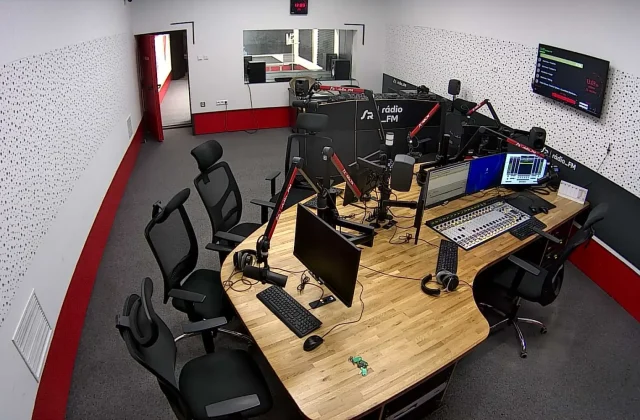
Episode 12 of The Stream Room is for anyone who wants to take a second, out-loud look at the subscription notifications on their phone. When you're signed up to four platforms, it isn't easy to remember which one you actually watch. We invited a budget coach and a platform editor to the studio and talked through practical methods together. Here's the episode summary and notes. During the conversation, everyone in the studio checked their own payment history and made a few small confessions.
In this article
- The episode's flow
- Guest views
- Recommendations from the episode
The episode's flow
We started the episode with a subscription audit. Everyone in the studio checked the payment history on their phone and said how much they'd paid to which platforms over the past three months; the results surprised us all. Most of us realized we'd barely opened one or two platforms. We talked about why this audit should be done every month. This part of the episode was the one listeners mentioned most in their messages.
Then we moved on to the silent spending caused by auto-renewing subscriptions. Adding the end date of free trials to your calendar, keeping payment notifications on and working out whether annual plans really pay off were the episode's main topics. We also showed that these steps can be done in a few minutes. That made it easier for everyone to see, in numbers, how many platforms they really need, and it was quite an eye-opener.

Canceling a subscription isn't a goodbye; it's waiting for its turn to come around again.
Ethan Brooks
Guest views
Our guest, budget coach Nina Baxter, suggested sorting subscriptions into three groups: the ones you use every month, the ones you use seasonally and the ones you keep for a single show. In her view, the first group belongs in your fixed budget, the second should be rotated and the third should be canceled when the show ends. Baxter illustrated this system with a simple table. With this method, you can see at a glance how often each subscription is used.
Platform editor Chris Alden said streaming services are offering flexible plans to hold on to users too. According to Alden, as rotating subscriptions catch on, release schedules for new titles are being planned around them. He explained that with a little patience, following upcoming releases and subscribing accordingly protects both your wallet and your viewing pleasure. Alden added that users can also expect win-back discounts after canceling.
Recommendations from the episode
We suggested four methods in the episode. First, keep a single list with all your subscriptions written down. Second, at the end of each month, note how many hours you watched each platform. Third, share joint plans with family members. Fourth, don't reopen a subscription you've canceled until you've finished the titles on your watchlist. After each method, we gave a quick practical tip, so you can put it into action as soon as you've listened.
| Topic | Streaming |
|---|---|
| Highlights | podcast, subscription, budget |
| Reading time | 5 minutes |
| Written by | Ethan Brooks |
Key takeaways
- Looking at three months of payment history instantly reveals unused subscriptions.
- Sort subscriptions into three groups: monthly, seasonal and single-show.
- Trying a monthly plan for a month before switching to annual is a safe approach.
On top of these, we recommended using the spending categories in your payment app to group subscriptions under a single heading. Nina Baxter also suggested trying a monthly plan for a month before committing to an annual one. Chris Alden talked about the benefits of keeping a small notebook to track new season schedules ahead of time. These small habits can bring noticeable relief to your payment history at the end of the month, and keep you in control.
What do you think about this post?


Leave a comment