























































Software license management for small businesses: From inventory to audit
Even a ten-person office accumulates dozens of licenses. We've gathered the basic steps of license management, from keeping an inventory and a renewal calendar to staff changes and audits.

Table of contents
In small and mid-sized businesses, software licenses are usually bought as needs arise, by different people, through different channels. A few years later, nobody knows exactly which license is used on which computer or when each one is due for renewal. That uncertainty leads to unnecessary spending and leaves you in a tight spot during audits. In this article, we walk step by step through a simple license management routine that even a business without an IT department can put into practice.
Inventory: Which software, on which computer?
The first step in license management is knowing what you have. Start with a simple spreadsheet: one row per computer, with columns for the employee who uses it, the OS version, the installed office suite, the security software and any other paid programs. Each license should also have separate columns for purchase date, invoice number, license type and end date, if any. Building the first inventory can take a few hours, but this table becomes the foundation for every decision that follows. Keeping it in a shared folder and making one person responsible for it is the easiest way to keep it current.
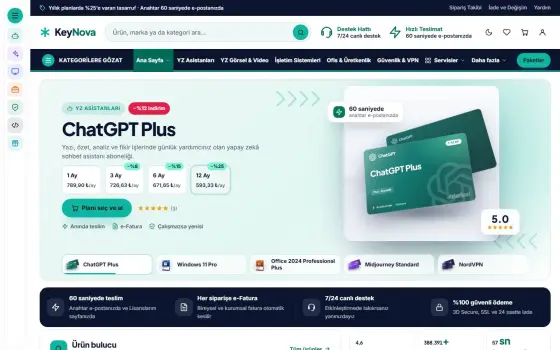
A common discovery while taking inventory is unlicensed software or software of unknown origin. A program an employee bought with a personal account, a tool whose trial has expired or an installer copied from an old computer all pose both legal and security risks to the company. When you find such software, either remove it or replace it with a license invoiced to the company. Because every license you buy is listed automatically in LicenseKeep's business dashboard, most of your inventory will already be done.

License management is less about buying and more about the habit of keeping records.
Emily Carter
Renewal calendar and budget
With subscription software now so widespread, renewal dates are scattered throughout the year. If your antivirus expires in March, cloud backup in June and design subscription in October, keeping track gets hard, and forgetting just one can leave the team unable to work one morning. The solution is to put every renewal date on a shared calendar and set a reminder a month before each one. Where possible, grouping renewals into the same month also makes budget planning easier. Sending calendar reminders to at least two employees rather than one further reduces the risk of a renewal being missed.
On the budget side, seeing your annual software spending line by line reveals opportunities to save. Canceling unused licenses, switching to two- or three-year packages and taking advantage of volume discounts on bulk purchases all lower costs considerably. In a ten-computer office, for example, moving from individually purchased security software to a centrally managed package like Shield Endpoint Protection both cuts costs and simplifies management. Reviewing this table at year-end lets you prepare a realistic budget for the following year.
Invoices, audits and staff changes
Having every license purchase invoiced to your company name is critical for both accounting and any potential license audit. Licenses bought with an e-invoice flow automatically into your accounting records and can be booked as expenses. During an audit, you may be asked to show which license is used on which computer and where it was purchased. If your inventory table and invoices are in order, the process takes a few hours; if not, it can drag on for days and expose you to penalties. Storing invoices and license details in the same folder with the same naming scheme speeds things up even further.
| Topic | Corporate |
|---|---|
| Highlights | small business, volume license, e-Invoice |
| Reading time | 9 minutes |
| Written by | Emily Carter |
Key takeaways
- Keep an up-to-date inventory of all computers and licenses.
- Put renewal dates on a shared calendar with reminders a month ahead.
- Buy every license with an e-invoice to your company and match invoices to the inventory.
Staff changes are where license management most often breaks down. When an employee leaves, you should decide in advance who takes over the licenses on their computer and how subscriptions tied to personal accounts will be closed. Prepare a simple offboarding checklist for this: remove the licenses from the dashboard, change the passwords on company accounts and, if you use device management, remotely wipe company data. A similar onboarding checklist for new hires ensures they work with the right licenses from day one. Reviewing these lists once a year and adding any newly adopted software keeps the system from slipping over time.



2 Comments
Really useful piece, thank you for putting it together.
I had never thought about this side of it. Looking forward to a follow-up.