







How to Choose the Right Hosting: A 6-Point Guide
Shared, WordPress, business or VPS: six simple criteria for picking the hosting that fits your needs.

Table of contents
There are dozens of hosting plans on the market, and most look alike at first glance. Yet two plans sold at the same price can be very different in resource share and infrastructure quality. The right choice starts with looking at your site type, your visitor numbers and your growth plans. In this guide we walk through the six criteria to check before you buy.
Start by writing down what your site needs
Before choosing hosting, put in writing what your site will be used for. A one-page brochure site and a store taking hundreds of orders a day don't need the same resources. List your estimated monthly visitors, the amount of images and files you'll store, how many domains you'll host and which software you'll run. When you compare plans, that list keeps you from paying for features you don't need and from being stuck with a plan that's too small. Add a growth estimate for the coming year, too. When you write it, keep your visitor estimates a little high; a new campaign or a social media post can send traffic up unexpectedly, and being caught unprepared is expensive.
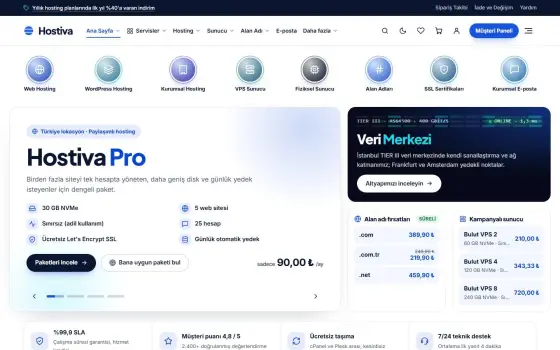
Most people skip this step and pick the cheapest plan in the window. A few months later they have a slow site and an urgent migration on their hands. Yet ten minutes of needs analysis at the start costs far less than a migration later. Single-site plans like Hostiva Starter are ideal for brochure pages; if you have several projects, Hostiva Pro is a logical step, and if you expect heavy traffic, so is Hostiva Turbo. Whatever you choose, make sure you can upgrade when you need to. Since you can move between plans at Hostiva, starting a little smaller than you need and scaling up based on your measurements is also a smart path; what matters is that the decision rests on data.

The best hosting isn't the one that fits your site today; it's the one that keeps up with your site a year from now.
Jake Morales
Disk type, server software and resource share
Disk type may sound technical, but it directly determines your site's speed. NVMe disks deliver much faster reads and writes than classic SSDs, and database queries and image uploads benefit noticeably. Server software matters too: LiteSpeed can serve more concurrent visitors on the same hardware and, paired with caching plugins, makes a difference for WordPress sites. If the plan description doesn't state these details clearly, don't hesitate to ask the support team. If you ask about the disk type or server software and get a straight answer, that's a good sign the company trusts its infrastructure and has nothing to hide.
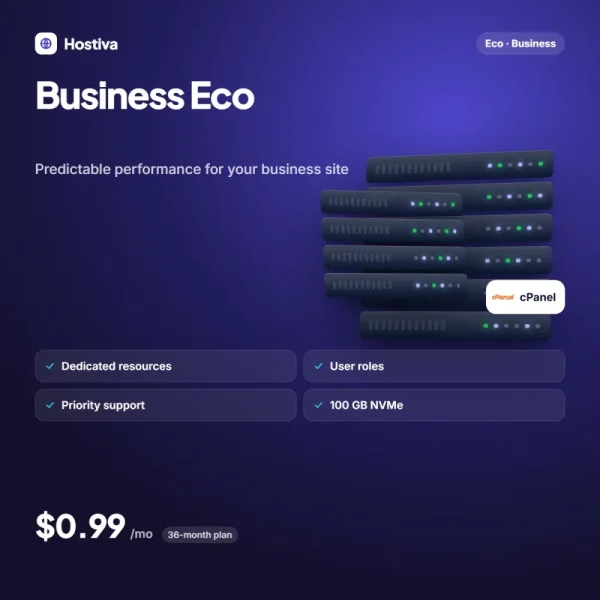
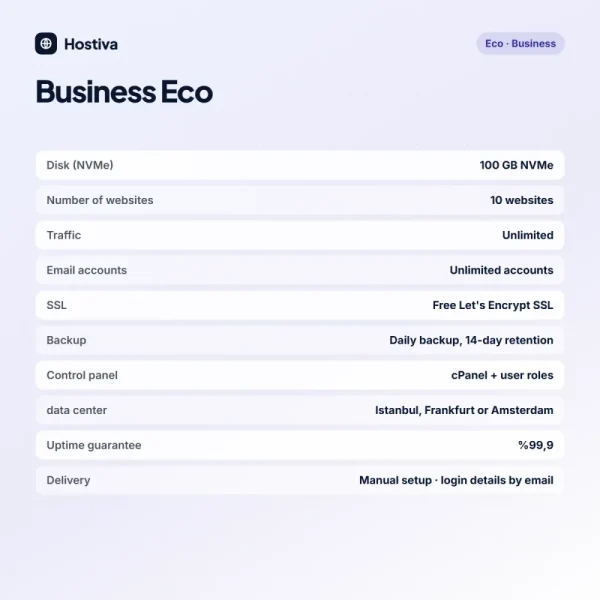
Don't overlook the resource share either. On shared hosting, CPU and memory are divided among all accounts, and the word "unlimited" on a plan page usually hinges on a fair-use policy. Plans with guaranteed resources mean you aren't affected by your neighbors' busy periods. Business plans include a dedicated share of CPU and memory, which gives you predictable performance. Look at how a figure is promised as well as the figure itself: is it dedicated, shared or a ceiling? And when you run the numbers, look at the renewal price, not just the first-term price; some providers offer a very low first-year price and then raise it sharply at renewal, while transparent pricing builds trust from day one.
Backups, support and ease of migration
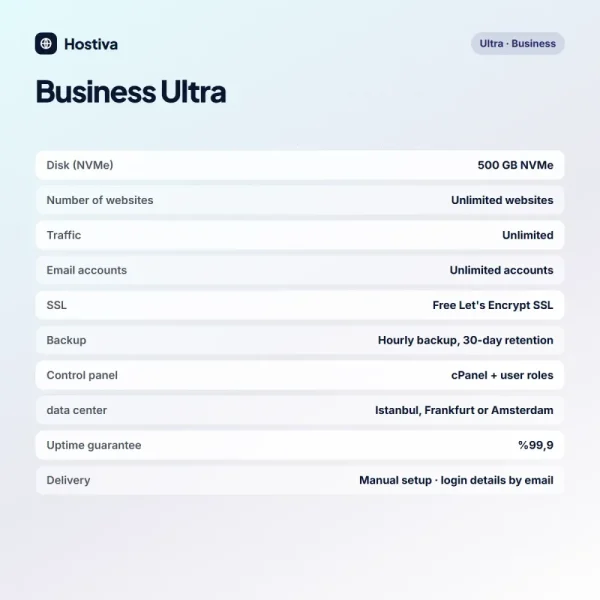
Backup is the invisible but life-saving feature of any hosting plan. Automatic daily backups and one-click restore save you the day a plugin update breaks your site. Find out how long backups are kept and where they're stored; a backup kept on the same server is useless if that server fails. Also read the uptime guarantee: a 99.9% commitment means a tolerance of roughly forty-five minutes a month, and it's important that it's in writing. It's a good habit to test in advance that your backups really restore with one click; a restore you try for the first time in the middle of a real problem only creates needless stress and lost time.
| Topic | Hosting Guide |
|---|---|
| Highlights | hosting, shared hosting, NVMe |
| Reading time | 6 minutes |
| Written by | Jake Morales |
Key takeaways
- Write down your needs and choose the plan to match.
- NVMe disks and LiteSpeed make the speed difference.
- Always read the backup and uptime guarantee.
Finally, test the quality of support. Send a question before you buy and see how fast and how clearly the answer comes back. English-language support, availability for long hours every day and free migration help are the three things that will help you most in the first months. If you try the service for the first month and are happy, you can switch to a 12, 24 or 36-month plan and cut the monthly price by twenty to forty percent. Try first, then commit for the long term. And if you're still undecided after weighing all these criteria, taking a short-term plan, testing it with your real traffic and moving to a longer term once you're convinced is the lowest-risk path.
What do you think about this post?


2 Comments
Really useful piece, thank you for putting it together.
I had never thought about this side of it. Looking forward to a follow-up.