


























































Monitor panel types: the differences between IPS, VA and OLED
Which panel type suits design, office work and gaming best? We compared three panel technologies on contrast, color, response time and burn-in.
Table of contents
Looking only at resolution and size and overlooking the panel type is a very common mistake when buying a monitor. Yet two monitors with the same resolution can deliver completely different images depending on their panel technology. In this comparison we look at the strengths and weaknesses of IPS, VA and OLED panels and explain with real examples which one stands out for design, office work and gaming.
IPS: color accuracy and wide viewing angles
IPS panels work on the principle of liquid crystals rotating parallel to the screen surface. This structure provides wide viewing angles and high color accuracy; colors don't fade even when you look at the screen from the side. That's why IPS has long been the first choice for photographers, graphic designers and video editors. Factory-calibrated IPS monitors like the Aurion Vista 4K ensure that the color you see is as close to reality as possible for work headed to print or broadcast. Wide viewing angles are also an advantage in meetings and presentations where you share the screen with a colleague. That's why IPS is the most common panel type in offices too.
IPS's weak spot is contrast ratio. A typical IPS panel offers around 1,000:1 contrast, and in a dark room blacks can look dark grey. You may also notice a slight glow in the corners of the screen, especially in dark scenes. For office work, coding, design and general use, these limitations are usually negligible. For users who watch films in a dark room or game at night, however, other panel types can offer a better experience. Newer IPS panels have also started using different layer structures that boost contrast.
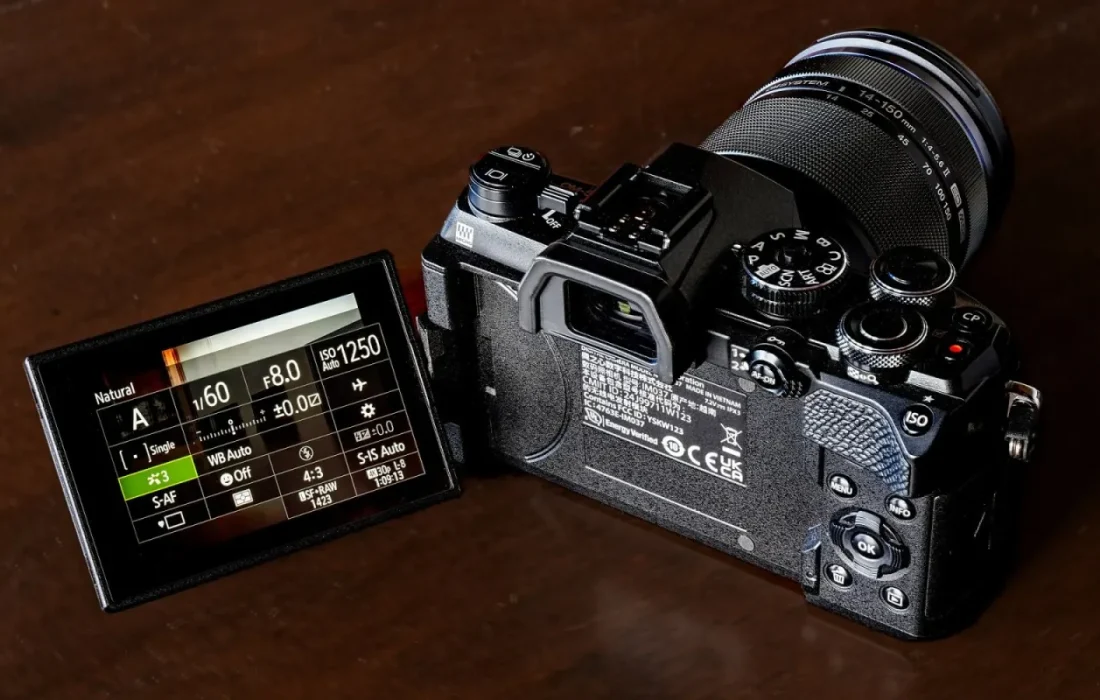
The panel type is a monitor's character; resolution only tells you how much detail it shows.
Ethan Brooks
VA: deep contrast at an affordable price
VA panels work by aligning liquid crystals vertically and are much better than IPS at blocking light. As a result they offer contrast ratios between 3,000:1 and 5,000:1; blacks are noticeably deeper and dark scenes more striking. This makes VA panels appealing for watching films and story-driven games. They're also common in curved monitors and are generally more affordable than IPS models with similar specs. High contrast also gives a more comfortable image in dark-background code editors and night-themed interfaces. For anyone on a limited budget who wants a big screen, VA is a good compromise.
VA's downsides are response time and viewing angles. Pixels respond more slowly, especially when transitioning from dark to bright tones, and black smearing can appear in fast-moving scenes. This can be distracting in competitive shooters. Viewing angles are also narrower than IPS; contrast and colors shift when the screen is viewed from the side. For a user sitting alone at a desk, directly in front of the screen, this usually isn't a problem. Newer fast VA panels have reduced the black smearing issue, but it hasn't disappeared entirely. We recommend checking independent response time tests before buying.
OLED: perfect blacks and speed
OLED technology has no backlight; every pixel produces its own light and can switch off completely. That means infinite contrast, true blacks and near-instant response times like 0.03 ms. 240 Hz OLED gaming monitors like the Dragon Gear Arena 27 outperform every other panel type in motion clarity. In HDR content, bright highlights and deep shadows can appear side by side in the same frame, giving the image an impressive sense of depth. OLED panels also offer wide color gamut coverage and render saturated tones strikingly.
| Topic | Comparisons |
|---|---|
| Highlights | monitor, gaming gear, desk setup |
| Reading time | 7 minutes |
| Written by | Ethan Brooks |
Key takeaways
- IPS: accurate color and wide viewing angles; ideal for design and office work.
- VA: high contrast at an affordable price; for films and story games.
- OLED: true blacks and instant response; for competitive gaming and HDR.
OLED has two important limitations. The first is the risk of burn-in: static images such as a taskbar or game HUD can leave a mark if they stay on screen for a long time. Modern OLED monitors greatly reduce this risk with pixel shifting and care cycles, but it's still important to check the warranty terms. The second is that brightness on full-white screens stays lower than IPS. If you do a lot of office work, IPS is the more sensible choice; for gaming and films, OLED. In the end, the right panel depends on how you use it.



2 Comments
Really useful piece, thank you for putting it together.
I had never thought about this side of it. Looking forward to a follow-up.